


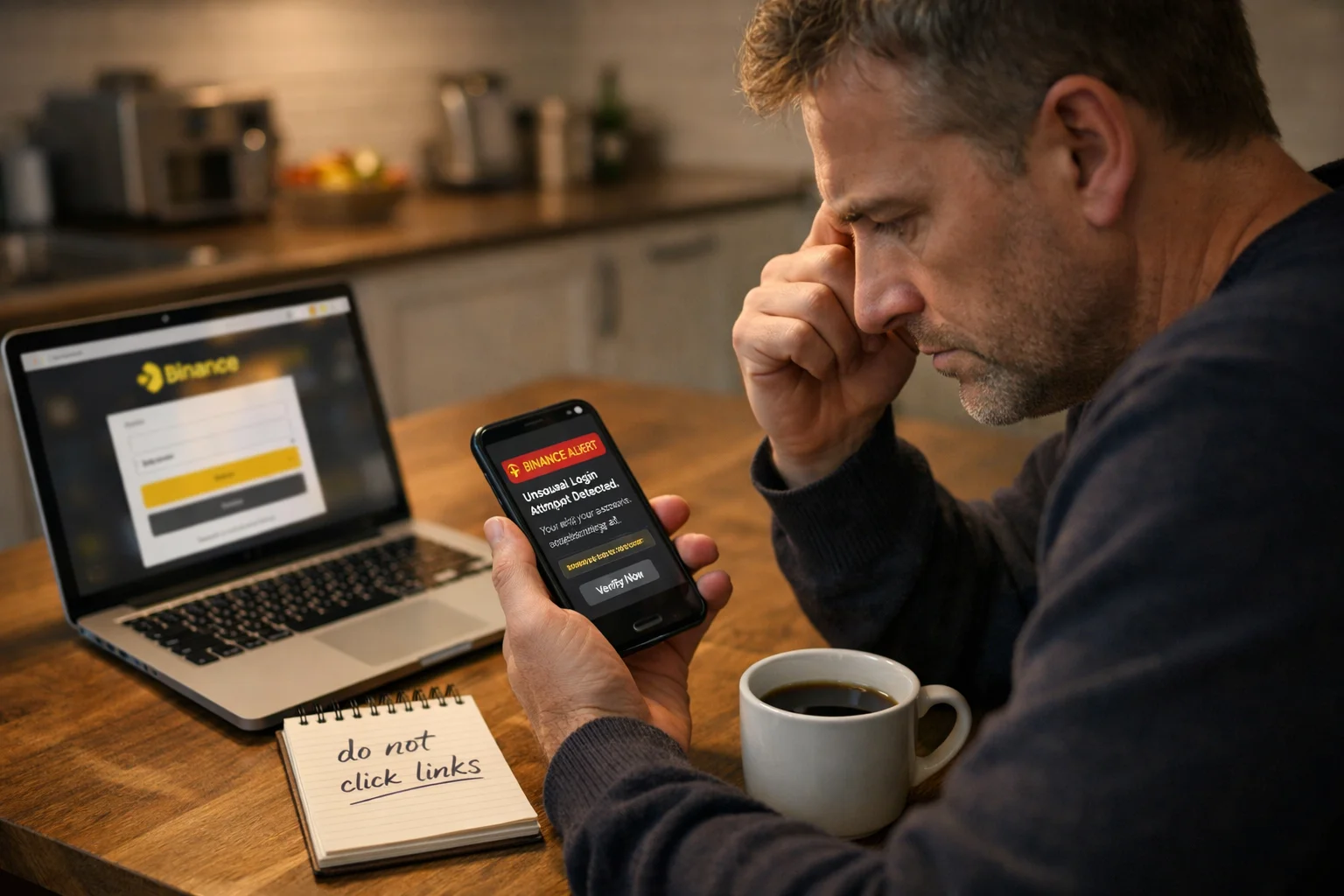
If you receive a text message claiming to be from Binance, stay calm before taking any action. A growing number of people in the UK are receiving fake Binance text messages that look genuine but are designed to steal login details, verification codes, or access to cryptocurrency accounts.
These messages often create urgency by claiming that your account has been hacked, that a withdrawal has been made, or that you need to call a number immediately. In reality, the message is usually part of a phishing scam.
This guide explains what a Binance scam text looks like, how these scams work, how to tell the difference between a real and fake message, and what steps you should take to protect yourself.
Anatomy of a 2026 Binance Scam: What It Actually Looks Like?
Scammers no longer send “broken” messages with bad spelling. In 2026, they use Dynamic Spoofing to bypass your skepticism.
1. Visual Proof: The “Spoofed” Thread
One of the most dangerous tactics is when a fake message appears inside your official Binance SMS history.
What to look for: You will see your genuine 2-factor codes from months ago, followed immediately by a message like: “Action Required: Unusual login from [City, Country]. If this was not you, call our UK security desk at +44 20 XXXX XXXX.” > Why it’s fake: Your phone groups messages by the “Sender Name.” Scammers mask their number with the word “Binance,” forcing your phone to slot it into the real conversation.
2. Current 2025–2026 Scam Scripts
These are the most common scripts currently circulating in the UK:
-
The “API Exploit” Lure: “Security Alert: Your Binance API has been successfully linked to a Ledger Live device. To revoke this access, call +44 800 XXX XXXX immediately.”
-
The “China Login” Scare: “Detected login for your account from IP: 103.xx.xx.xx (Beijing, CN). Not you? Call our emergency line now to freeze your funds.”
-
The “FCA Compliance” Trap: “Final Notice: Under UK FCA regulations, your crypto assets will be locked in 24 hours. Verify your identity at [Fake-Binance-UK.com] to prevent loss.”
What Is a Binance Scam Text?
A Binance scam text is a fake SMS message sent by criminals pretending to be Binance. The goal is usually to make you panic and take immediate action.
Most scam texts claim that:
- A withdrawal has been requested
- Someone has logged into your account
- Your account is at risk of being suspended
- You need to verify your identity urgently
- You must call a phone number to stop suspicious activity
The message may look convincing because it uses the Binance name, branding, or wording that resembles genuine account notifications.
Why Scammers Pretend to Be Binance?
Cryptocurrency accounts can contain significant amounts of money. Because of this, scammers often target Binance users in the hope of stealing login details, two-factor authentication codes, or API access.
Criminals know that many people will react quickly if they believe their cryptocurrency account is under threat. They rely on fear, urgency, and confusion to make you act before thinking clearly.
How a Fake Binance Text Message Usually Works?
Most fake Binance texts follow a similar pattern:
- You receive an unexpected text message.
- The message claims there is suspicious activity on your account.
- You are told to click a link or call a phone number.
The scammer then asks for:
- Your Binance password
- A verification code
- Your two-factor authentication code
- Remote access to your device
Once the scammer has this information, they may try to access your account and move funds.
Expert Tip: The ‘Phone Call’ Rule. “In my years tracking crypto-phishing, the single biggest giveaway is the phone number. Binance is a massive global exchange; they do not have the infrastructure to ‘cold-call’ or ‘text-and-call’ millions of users. If a text asks you to call a number, it is 100% a scam. They want you on the phone so they can use social engineering to pressure you into giving up your 2FA code while you’re in a state of panic.” – Security Lead, CryptoWatch UK
What Does a Binance Scam Text Look Like?
A Binance scam text often includes urgent wording and asks you to act immediately.
Examples include:
“Your Binance account has been accessed from a new device. If this was not you, call 0800 XXX XXXX immediately.”
“Withdrawal request detected. Reply NO or call this number now to stop it.”
“Your Binance API has been linked to a Ledger device. Call support urgently.”
One of the biggest warning signs is when the message includes a phone number and tells you to call it.
According to Binance, legitimate text messages are only used to send one-time passwords or verification codes. Binance does not ask users to call a number from an SMS message.
Why a Binance Text Asking You to Call a Number Is a Red Flag?
A genuine Binance SMS will never contain:
- A support phone number
- A request to call someone urgently
- A demand for your password or authentication code
- Instructions to install software
If the text message includes a number to call, treat it as suspicious immediately.
Binance has publicly stated that it does not operate call centres for customer support and will never contact users by telephone after sending a text message.
How Can You Tell if a Binance Text Message Is Fake?
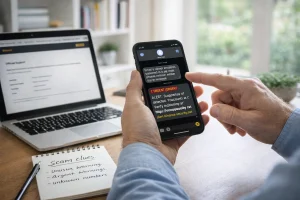
A fake Binance text usually tries to make you panic. It may claim there has been a suspicious login, withdrawal, or security issue with your account. Unlike a genuine Binance message, it often includes a phone number, a suspicious link, or asks you to act immediately.
A real Binance SMS normally only contains a verification code that you requested yourself. If the message asks for your password, two-factor authentication code, or tells you to call someone, it is likely to be a scam.
Signs of a Suspicious Binance Message
A message is likely to be fake if it:
- Creates panic or urgency
- Uses phrases such as “act now”, “urgent”, or “your funds are at risk”
- Includes a phone number
- Contains a suspicious website link
- Asks for your password or verification code
- Mentions activity you did not perform
Scammers often pressure you into reacting quickly because they do not want you to stop and verify the message through the official Binance website or app.
Fake Binance Verification Code Scam vs Real Security Alert
| Genuine Binance SMS | Fake Binance Scam Text |
| Only contains a one-time verification code | Includes a phone number or suspicious link |
| Sent after you actively try to log in or make a change | Arrives unexpectedly |
| Does not ask for personal details | Requests passwords, 2FA codes, or account information |
| No pressure or threatening language | Uses urgency and fear |
| Refers you to the official app or website only | Tells you to call or click immediately |
A legitimate message from Binance is usually short, simple, and only appears after you have requested a code yourself.
Don’t Guess – Use Official Tools to Verify
If you are unsure about a link, a phone number, or a Telegram handle, do not engage with it. Instead, use these official resources to confirm the sender’s identity.
1. The Binance Verify Tool
Binance provides a public database where you can cross-reference any contact detail.
- How to use it: Visit Binance Verify and enter the URL, phone number, or email address from the text.
- The Result: If it is not in the database, it is a scam. > Note: Binance will never ask you for funds, tokens, or your password via text or private message.
2. Reporting to UK Authorities
If you have received a scam text in the UK, reporting it helps the National Cyber Security Centre (NCSC) take down the fraudulent websites linked in the messages.
- Forward to 7726: This is a free service in the UK. Forward any suspicious text to 7726. Your mobile provider will investigate the origin of the message.
- Report Fraud (Formerly Action Fraud): If you have lost money or shared your details, report it immediately to Report Fraud or call 0300 123 2040.
- Contact the NCSC: You can report suspicious websites directly to the NCSC reporting portal to help protect others in the community.
Why Do Fake Binance Texts Appear in the Same Message Thread?
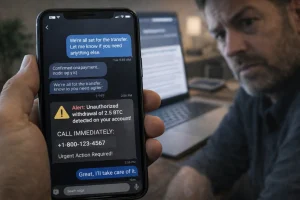
One of the most confusing parts of this scam is that the fake message can appear in the same SMS conversation as genuine Binance texts.
Many people assume that if the message appears in an existing Binance thread, it must be real. Unfortunately, this is not true.
What SMS Spoofing Means?
Scammers use a technique called SMS spoofing. This allows them to change the sender name so that the message appears to come from Binance, even though it does not.
Because mobile phones group messages by sender name, the fake text can appear alongside your real Binance security codes.
Binance has confirmed that this is a known issue affecting users in many countries.
Why Seeing the Message in an Existing Binance Conversation Does Not Prove It Is Genuine?
SMS systems are not always able to distinguish between a genuine sender and a spoofed sender. As a result, your phone may place the fake message into the same thread as authentic Binance texts.
This can make the scam seem more believable and increase the chance that someone will trust it.
However, the message thread itself is not proof that the message is genuine. You should always judge the message by its content.
If the message contains a phone number, unusual link, or urgent request, it is likely to be fake even if it appears in the correct conversation.
What Should You Do if You Receive a Binance Scam Text?
If you receive a suspicious message, do not click any links, call the number, or reply. Instead, open the Binance app or website directly and check your account yourself.
If everything looks normal, delete the message and report it. Staying calm and checking through official channels is the safest response.
Do Not Call the Number or Reply to the Message
Do not:
- Call the phone number
- Reply to the text
- Click any links
- Download anything
Even speaking to the scammer can give them an opportunity to pressure you or gather information.
Binance advises users to ignore and delete suspicious messages immediately.
How to Secure Your Binance Account Immediately?
If you are worried about your account, log in directly through the official Binance app or website. Never use a link provided in the text message.
Once you are logged in:
- Check your recent account activity
- Review login history
- Look for unauthorized withdrawals
- Change your password if necessary
- Enable or strengthen two-factor authentication
Binance recommends using an authentication app or security key rather than relying only on SMS verification.
When Should You Change Your Password and Two-Factor Authentication?
You should change your password immediately if:
- You clicked a link in the message
- You called the number
- You shared any account information
- You entered your login details into another website
You should also update your two-factor authentication settings and revoke any API keys if you think someone may have gained access.
How to Protect Yourself From Future Binance SMS Scams?
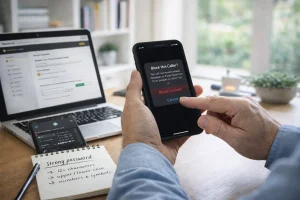
The best way to protect yourself is to avoid using links from text messages and only log in through the official Binance app or website.
You should also enable Binance security features, use an authentication app instead of SMS where possible, and be cautious of any unexpected message that creates urgency.
Turn On Binance Anti-Phishing and Security Features
Binance offers an anti-phishing code feature. This allows you to create a personal phrase that appears in legitimate Binance emails and messages.
If a message does not contain your anti-phishing code, it may not be genuine.
Binance has recently extended this feature to help users identify fake SMS messages more easily.
How to Recognize Fake Security Alerts and Urgent Withdrawal Warnings?
A fake security alert often claims that:
- Your account is being accessed from another country
- A withdrawal has been approved
- A Ledger or API pairing has occurred
- Your account will be locked unless you act immediately
These messages are designed to make you panic and respond without thinking. In many cases, the text will also include a phone number, a suspicious link, or instructions to verify your account straight away.
A genuine Binance security alert is usually much simpler. It may inform you about a login attempt or withdrawal, but it will not pressure you to act immediately, ask you to call someone, or request your password or verification code.
If you receive an unexpected warning, the safest option is to ignore the text and check your account directly through the official Binance app or website.
Binance Scam Text vs Real Binance Message
| Feature | Real Binance Message | Binance Scam Text |
| Includes a phone number | No | Yes |
| Asks for password or 2FA code | No | Yes |
| Appears after you request it | Yes | Often no |
| Uses urgent or threatening language | No | Yes |
| Contains a suspicious link | No | Often yes |
| Can appear in the normal Binance message thread | Yes | Yes |
The most important thing to remember is that a message can still be fake even if it appears in the same thread as your genuine Binance messages.
“I received a text at 2 AM saying a withdrawal of 1.2 BTC was pending. Because the text was in the same folder as my previous Binance login codes, I didn’t question it. I called the number in the text, and the ‘agent’ sounded incredibly professional. He asked for my ‘cancellation code’, which was actually my 2FA code. By the time I realized, my account was drained. Don’t let the message location fool you.” – David H., Manchester.
Quick Check: Is Your Binance Text a Scam?
Use this 5-point checklist before you respond to any mobile alert.
If you check YES to even one of these, it is a scam:
- The “Call Me” Test: Does the text include a phone number and tell you to call it?
- The “Panic” Test: Does the message use words like “Urgent,” “Immediately,” or “Account Liquidated”?
- The “Verification” Test: Did the code arrive without you actually trying to log in or withdraw?
- The “Link” Test: Does the link look slightly “off” (e.g., binance-support-uk.com instead of binance.com)?
- The “Personal” Test: Is the message missing your custom Anti-Phishing Code?
Final Thoughts: Stay Calm and Verify Before You Act
A Binance scam text can look extremely convincing, especially when it appears in the same conversation as genuine messages. However, there are usually clear warning signs.
If a message asks you to call a number, share your password, reveal a verification code, or act immediately, it is probably a scam.
Always verify any suspicious activity directly through the official Binance app or website. Staying calm and checking before reacting is often the best way to protect your cryptocurrency account.
Frequently Asked Questions
Can a Binance scam text hack your phone?
No. Simply receiving or opening the text message will not usually hack your phone. The risk begins if you click a link, call the number, download software, or share personal details.
Why did you receive a Binance text if you do not have a Binance account?
Scammers often send messages to large numbers of people at random. You do not need to have a Binance account to receive one.
Is it safe to open a Binance text message but not click anything?
In most cases, yes. Reading the message alone is unlikely to cause harm. However, you should avoid clicking links or interacting with the sender.
Can scammers send fake Binance texts from the real Binance number?
Scammers cannot use the real Binance number directly, but they can use SMS spoofing to make the message appear as if it came from Binance.
Should you block the number after receiving a fake Binance SMS?
Yes. Blocking the number can help reduce future messages. However, because scammers often change numbers or spoof sender names, blocking alone may not stop every scam message.
Does Binance ever call customers after sending a text?
No. Binance has stated that it does not operate customer support call centres and does not ask users to call a number from a text message.
How do you report a Binance scam text in the UK?
You can report suspicious texts to your mobile provider by forwarding the message to 7726. You may also report the scam through the official Binance support system and to the UK’s National Cyber Security Centre.
Help Us Protect the UK Crypto Community
Scammers are constantly updating their scripts. If you’ve received a suspicious Binance text that looks different from our examples, don’t let them win.
Have you seen a new variation of this scam? Please drop the message text in the comments below (omit any links or your personal info). By sharing the newest tactics, you help us keep this guide updated and protect fellow investors from losing their hard-earned funds.
Was this guide helpful? If we helped you spot a fake today, please leave a quick review or comment below. Your feedback tells Google this is a trusted resource, helping us reach more people before the scammers do!